
hpreview

Description
hpreview is a fast viewer for HALCON dictionary, deep-learning-model, 3D-object-model, and object files. It browses a folder of HALCON files like an image viewer - step through files with Page Up/Page Down, inspect every value in an expandable tree, and see embedded images rendered automatically, straight from HALCON's own pixel buffer.
- Supported files:
.hdict,.json(via HALCON's ownread_dict),.hobj,.hdland.onnx(deep learning models), 3D object models (.om3,.dxf,.off,.ply,.obj,.stl,.step/.stp,.pts,.ptx,.xyz,.pcd), images (.png,.tif/.tiff,.jpg/.jpeg,.bmp,.jp2,.ima), and HALCON image sequences (.seq). - Full tree inspection: every key, type, and value - including images, regions, XLD contours/polygons/parallels, and deep-learning-model parameters - discovered generically, not from a hardcoded, version-specific list.
- Image and overlay preview: images render directly from HALCON's own pixel buffer (correct handling of HALCON-specific pixel types and reduced domains); regions, contours, polygons, and parallels draw as overlays, alone or combined with an image.
- Load tuple values as images: for tuples of filenames, such as those found in deep-learning dataset dictionaries, optionally resolve and preview each referenced image file directly.
- Save and export: save the original object with HALCON's own writer
(
write_object/write_image/write_contour_xld_dxf), or export the rendered preview as PNG/JPG/BMP. - Command-line companion (
hpreviewcli) for scripting: dump a file's tree as text, convert between.hdictand.json, or extract every iconic object in a dictionary to disk. - Runs on Windows and Linux (the latter as a self-contained AppImage), and automatically detects and uses whichever HALCON version is currently active on your machine. Windows covers every HALCON release from 18.11 to 26.05; Linux currently covers the 18.11, 20.11, 22.11, and 24.11 Steady Editions, with more added upon request.
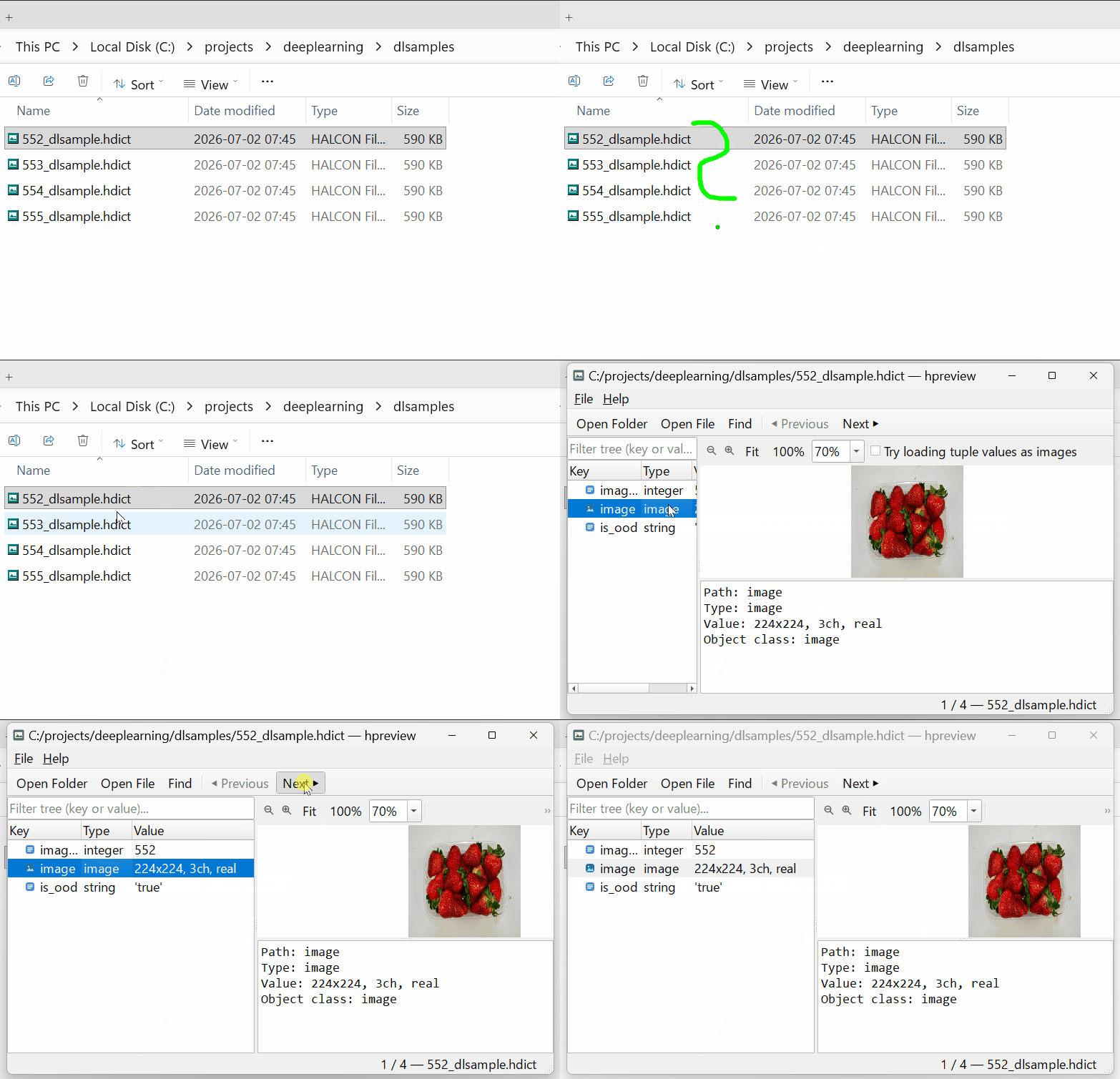
HALCON files are opaque to Windows Explorer - hpreview opens them and shows exactly what's inside.
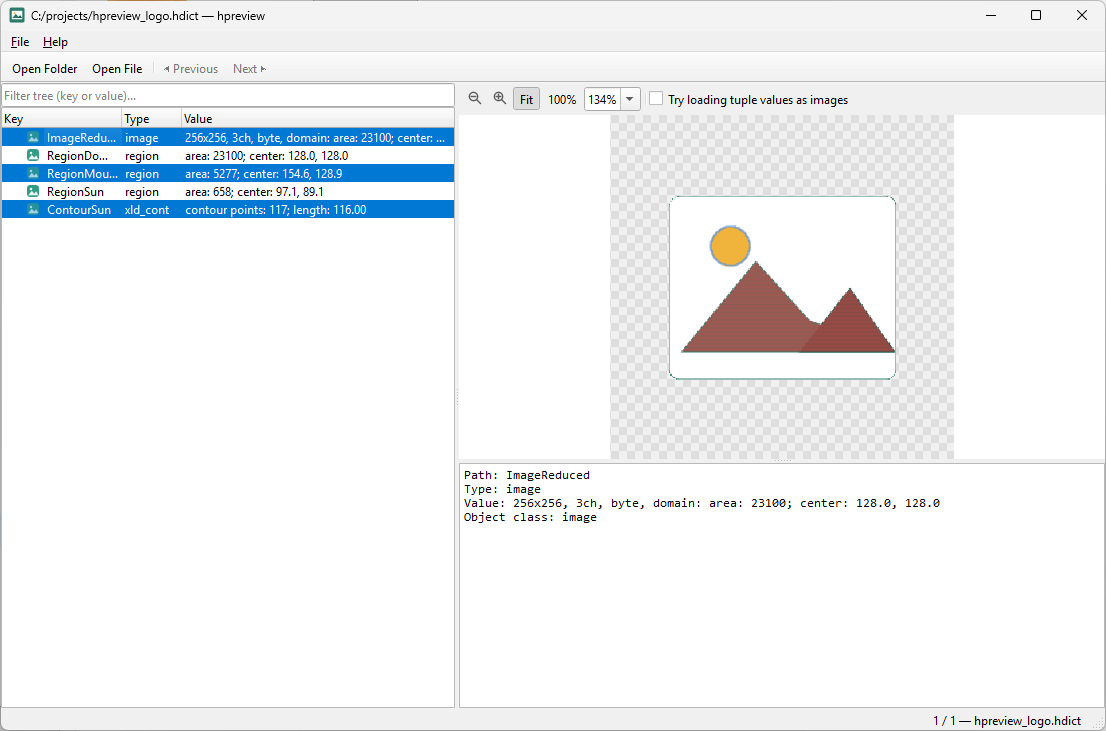
Image, region, and contour overlays, alongside the object tree.
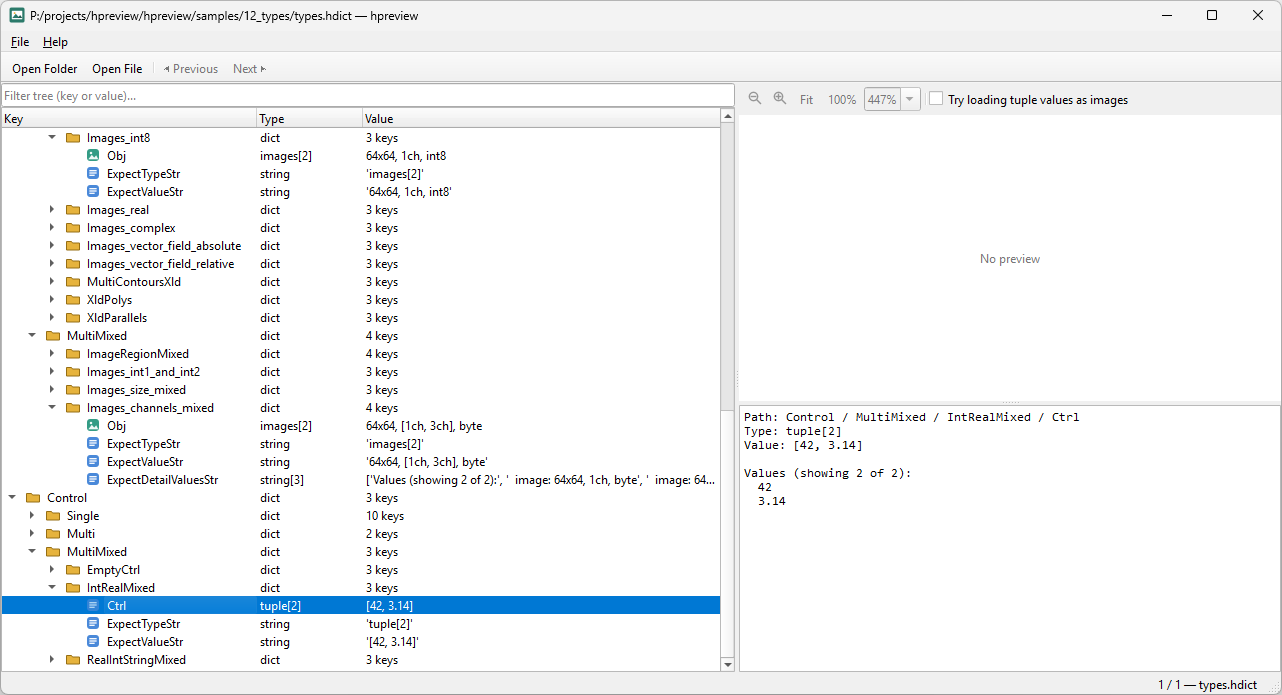
Deeply nested dictionaries, all in one tree.
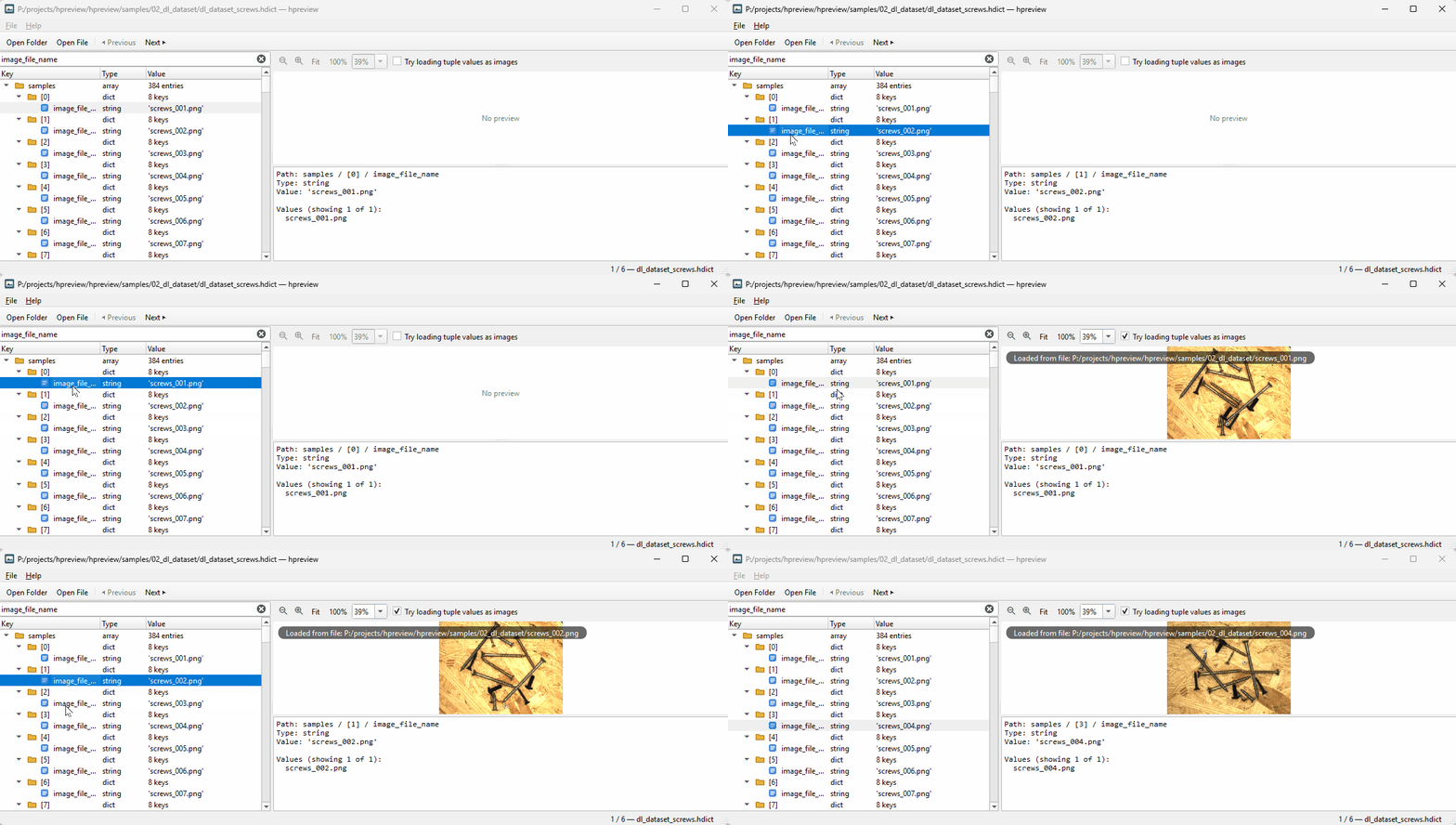
Loading tuple values as images - handy for deep learning datasets.
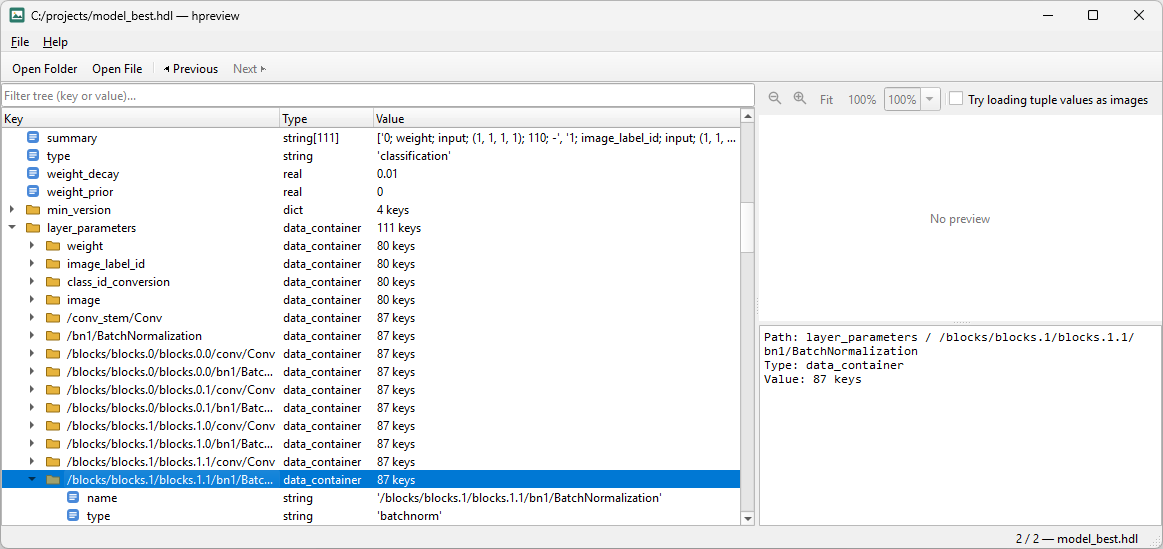
Inspecting a deep learning model's (.hdl) layer parameters.
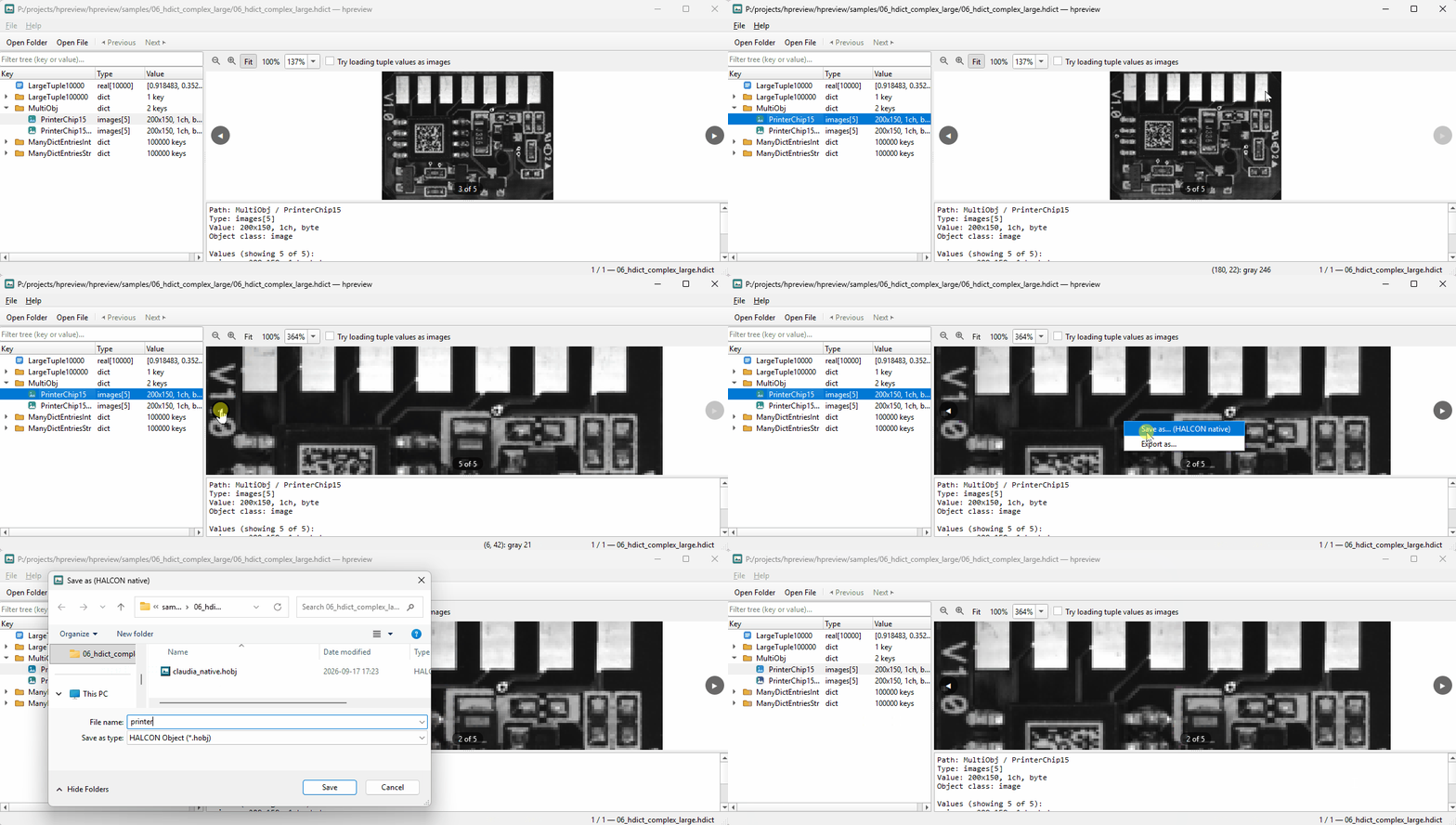
Multi-object stepping - zoom level is kept between images.
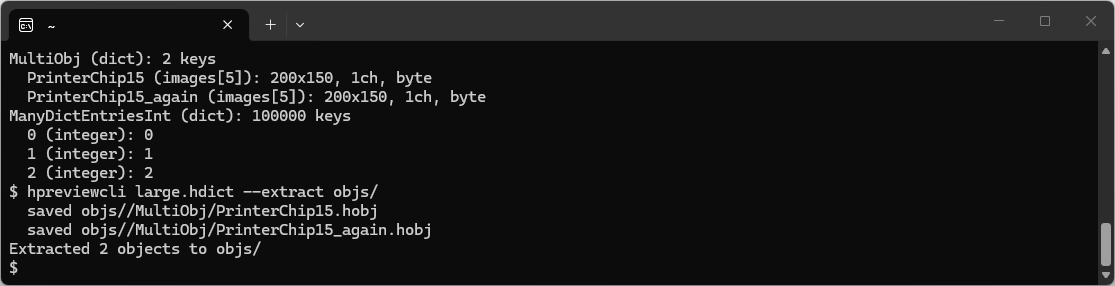
hpreviewcli on Linux: extracting iconic objects.
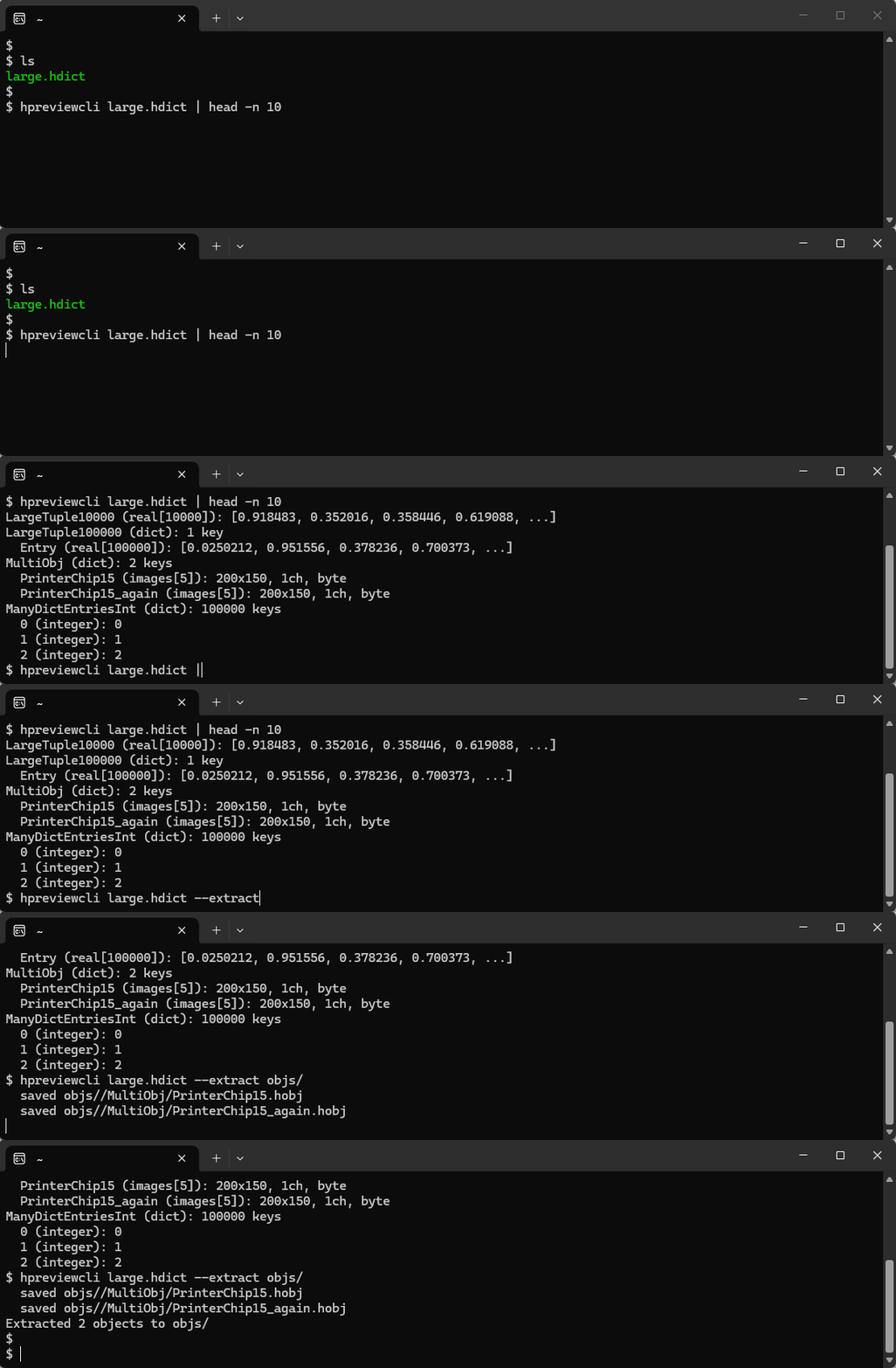
hpreviewcli on Linux: dumping a dictionary and extracting objects.
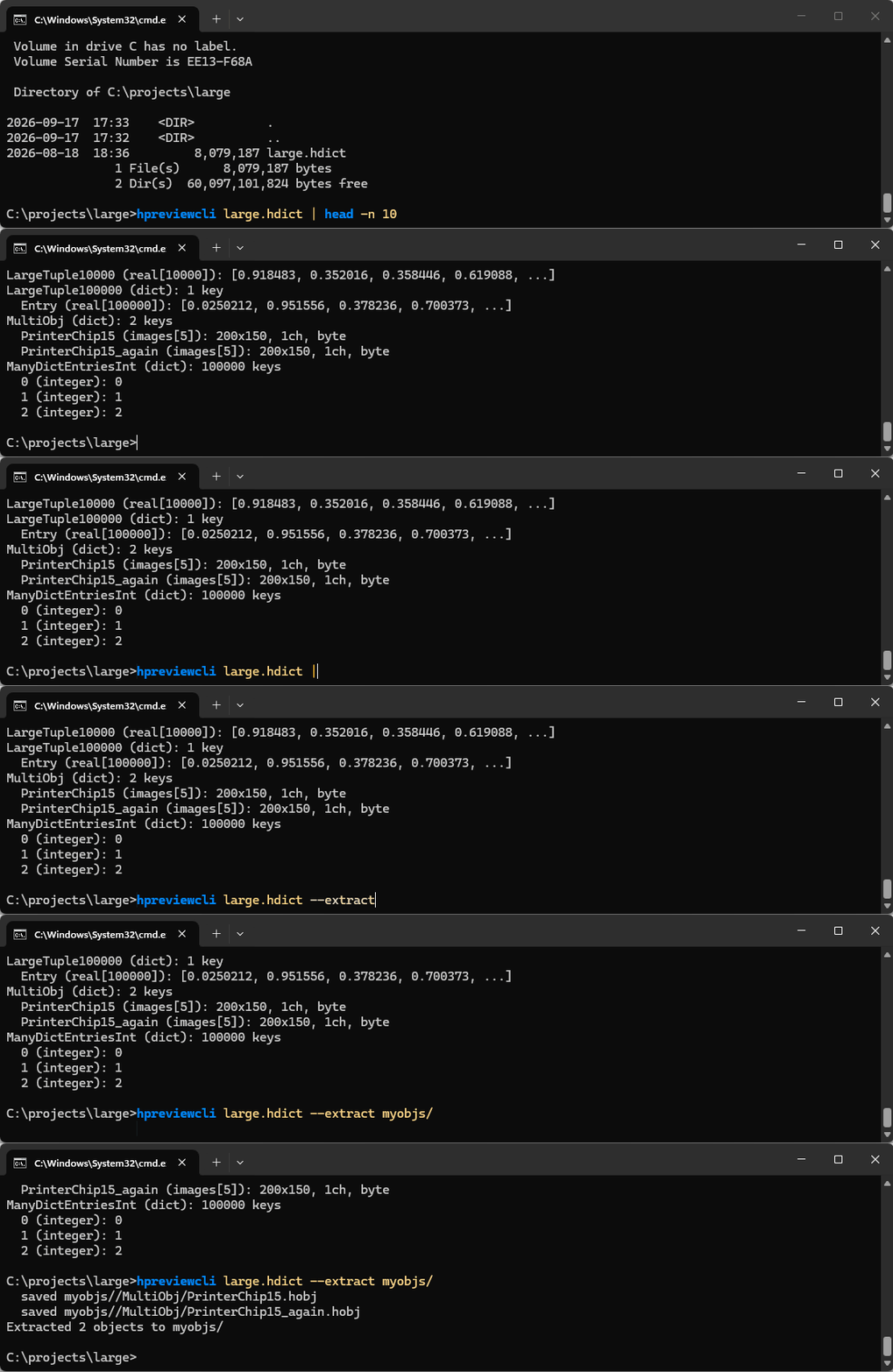
hpreviewcli on Windows: dumping a dictionary and extracting objects.
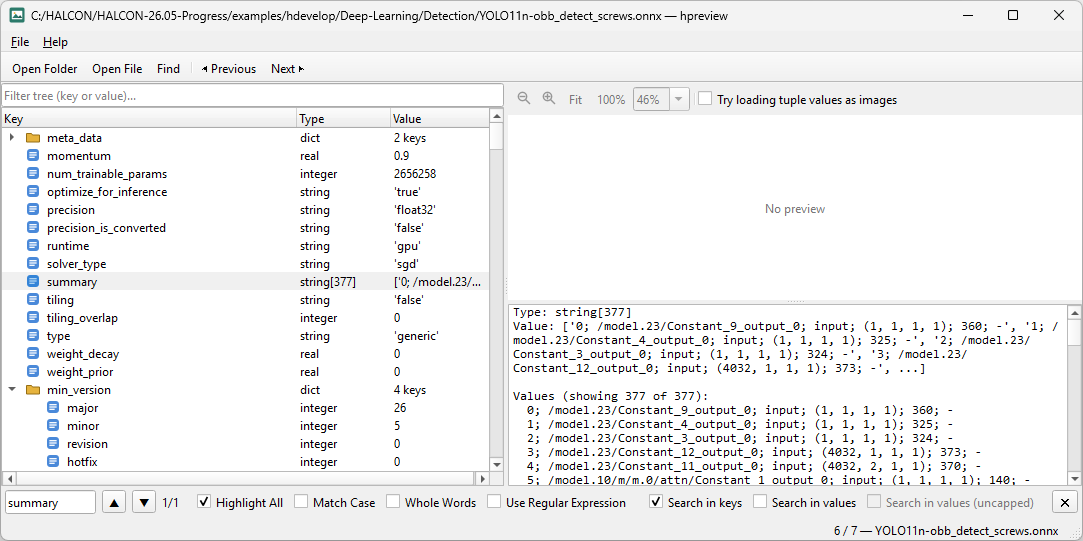
Inspecting an ONNX deep learning model.
HALCON is a trademark of MVTec Software GmbH. hpreview is an independent product and is not affiliated with or endorsed by MVTec.
Version History
1.2 (released 2026-09-28)
Highlight: hpreview gets Open Location. A fast way to jump straight to any file or key.
- File > Open Location... (Ctrl+L): type or paste a path to jump straight to
it, optionally with a
:dot-pathsuffix to land on one specific key - the same string Copy Path produces, below - plus a browse-for-file button.hpreviewcligains the same:dot-pathkey selection. - Watch: check the Watch box in Open Location, or pass
--watchto hpreview orhpreviewcli, and the open file reloads automatically whenever it changes on disk - handy while iterating on a script in HDevelop. Reloads are debounced so a file mid-write is never read half-finished. - Copy Path now renders the real HALCON dict-access syntax (static or dynamic, exactly as HDevelop expects it) instead of a generic placeholder - paste it straight into your code.
- Recent Files remembers the exact location you had open, dot-path included.
- A handful of smaller fixes: Open File is now the Ctrl+O default (Open Folder moved to Ctrl+Shift+O), the Find toolbar button shows a proper pressed state, and a standalone single-object file no longer shows a meaningless "[0]" entry.
1.1 (released 2026-09-18)
Highlight: hpreview gets a proper Find.
- ONNX (
.onnx) deep learning models now open directly, right alongside.hdl- the same generic handle-introspection tree, no second-class treatment. (HALCON's own ONNX import limits still apply: opset <=13, float32 tensors only, a subset of operators.) - Find (Ctrl+F): a search bar with a live match count, highlight-all, a regex mode, and separate key/value scoping - including an opt-in uncapped search past the default 1000-element display limit. Matches jump to and expand collapsed nodes automatically; the tree also gained Expand All/Collapse All.
1.0 (released 2026-09-17)
Highlight: hpreview goes cross-platform. Linux is now a first-class citizen, right alongside Windows.
- Full Linux support, shipped as a self-contained AppImage - download, mark executable, run. No installer, no dependencies to hunt down.
- "Try loading tuple values as images" now also resolves
.hobjfiles and paths without an extension, not just the obvious image formats. - A new File > Open Recent menu remembers where you've been.
- Zoom and pan settings are kept when switching across same-size images.
- Types display their real HALCON subtype (
xld_poly,region, ...) instead of a genericobject. - Dozens of smaller fixes: expandable truncated values, reliable Ctrl+C copying, and a fully rewritten help page and EULA.
0.9 (released 2026-08-22)
Highlight: full region and contour visualization arrives.
- Region and contour handling gets a full pass: visualize and save XLD polygons and parallels, export as DXF, and see genuine value summaries instead of placeholders.
- Generated an SPDX Software Bill of Materials, ahead of the EU Cyber Resilience Act.
- Rebuilt on Qt 6.11.2.
- Reload the open file with F5.
0.8 (released 2026-08-20)
Highlight: hpreview's first public preview.
- The core viewer: browse HALCON dictionaries, images, regions, and contours, with zoom, pan, and a live pixel readout.
- Deep-learning-model (
.hdl) inspection joins.hdict,.json, and 3D object model support. hpreviewcliarrives: the same tree-walking, dumping, and extracting power from your terminal or CI pipeline.- Built from the start on a multi-HALCON-version adapter architecture, so hpreview speaks whichever HALCON version is actually installed on your machine - not just one.
- Windows file-type association: double-click a HALCON file, and it just opens.
Licensing
hpreview is free to use for evaluation and non-commercial purposes. A license is required for commercial use under our End-User License Agreement (EULA).
Your license is issued to your company, named user, and bound to your machine's HALCON Host ID (the same ID printed on your HALCON dongle and used in your HALCON license file). To request a license, send your company name, VAT ID (if applicable), name, and Host ID (shown in hpreview's own Enter License... dialog) to hpreview@heindl-solutions.com. We'll prepare and send you an invoice.
A single license costs €800 (excl. VAT), sold on a business-to-business (B2B) basis only. Need more than one? Get in touch - we offer reduced pricing for multiple licenses.
Once paid, you'll receive a license key by email. Paste it into the Enter License... dialog and press Save - hpreview validates it against your Host ID and saves it automatically.
Moving to a new machine or a different HALCON installation? Your license is tied to that machine's Host ID, so you'll need a new key - just contact us with the new Host ID.
Download
hpreview 1.2 - Windows Installer
hpreview 1.2 - Windows Installer (.zip)
hpreview 1.2 - Linux AppImage (x86_64)
hpreview 1.2 - Linux AppImage (x86_64, .zip)
Download other versions
Requires a working HALCON installation (any recent version) - HALCON itself is not included and must be licensed separately from MVTec Software GmbH.
On Windows, hpreviewcli.exe is installed right next to hpreview.exe
and can be run directly. The Linux AppImage bundles both the GUI and hpreviewcli in one
file - running or double-clicking it as-is launches the GUI; to get the CLI instead, create a
symlink named hpreviewcli pointing at the AppImage and run that (the standard AppImage
convention for picking between bundled binaries), for example
ln -sf hpreview-1.2-x86_64.AppImage $HOME/bin/hpreviewcli - with $HOME/bin
on your PATH, hpreviewcli <file> then works from anywhere.